
Software
Digital Signage Software
Convert casual interactions and captivating content into curated experiences that build brand loyalty, streamlined operations and revenue opportunities through intelligent interfaces enabled by adaptive, intuitive software that scales with your needs.
Trusted by industry leaders to power better customer experiences













MetroClick Manager & Device Hub
Digital signage solutions featuring all-in-one content management to manage all digital signage
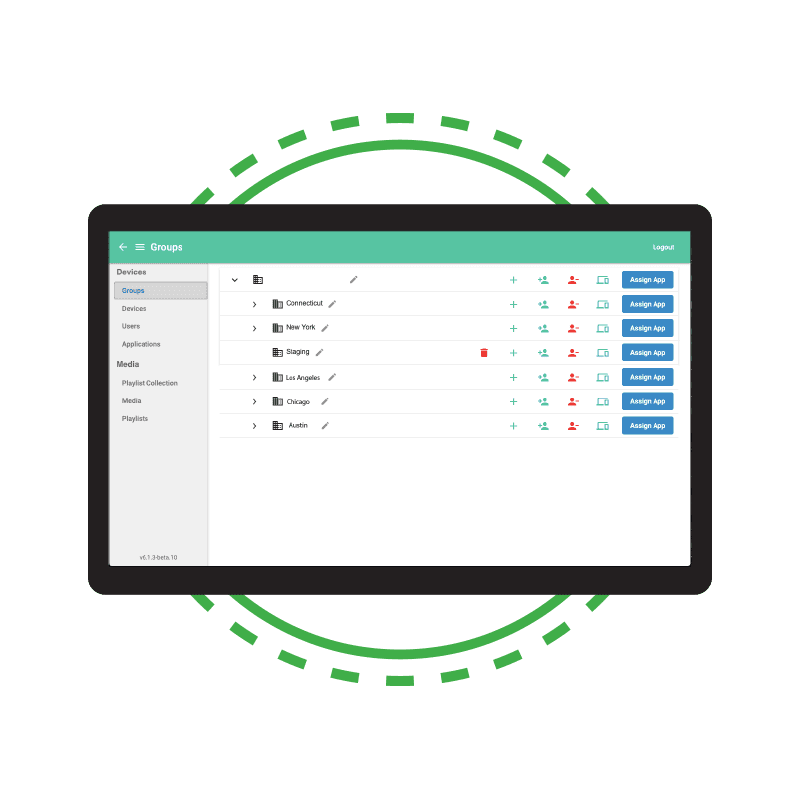
Configure and manage all of your digital signage displays from a single,client-specific, secure web-portal. This ensures that your digital network is secure and scalable to meet your needs.
MetroClick Manager (MCM) digital signage software allows you to easily group and assign your devices to manage everything from your entire signage portfolio to store specific signage to each individual display. This allows you to easily segment and specify content across your entire network.
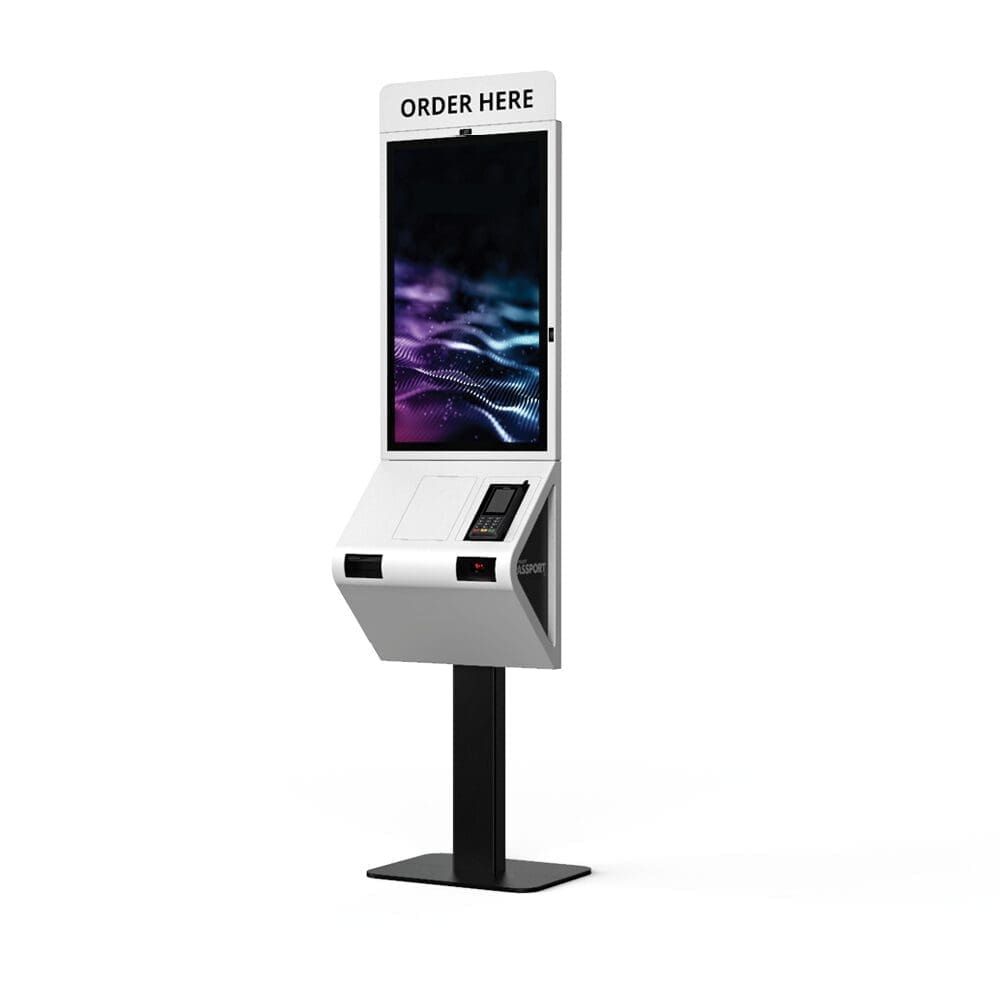
POS Software
Enhance the shopping experience with software digital signage solution
Let MetroClick digital signage solutions turn your in-store ordering process into a seamless interactive experience.
No longer worry about getting the customers’ order wrong or lengthy check-out lines, our electronic signage systems or self service kiosk offer a robust and secure ordering platform with built-in payment integration.
Wayfinding Software
Software for digital signage- connect & engage with your location
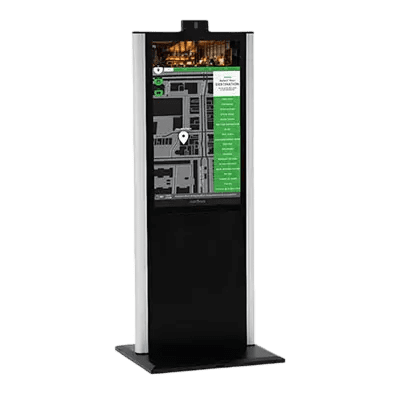
MetroClick digital signage software specializes in creating interactive maps and directories for public large format touch screen displays and wayfinding kiosks.
The perfect solution for a mall or high traffic environment. Let us map out your property, or turn your existing maps into a fun and useful interactive experience.
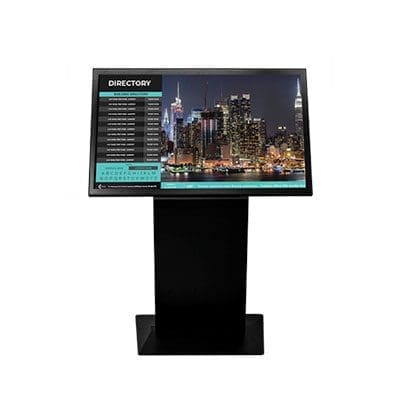
Interactive Directory Software
Simple & effective digital sign software solutions
Display more than simple text with an interactive directory using our display board software. Take advantage of a large format display by integrating company logos, slideshows and more.
Advertising Software
Real-time content
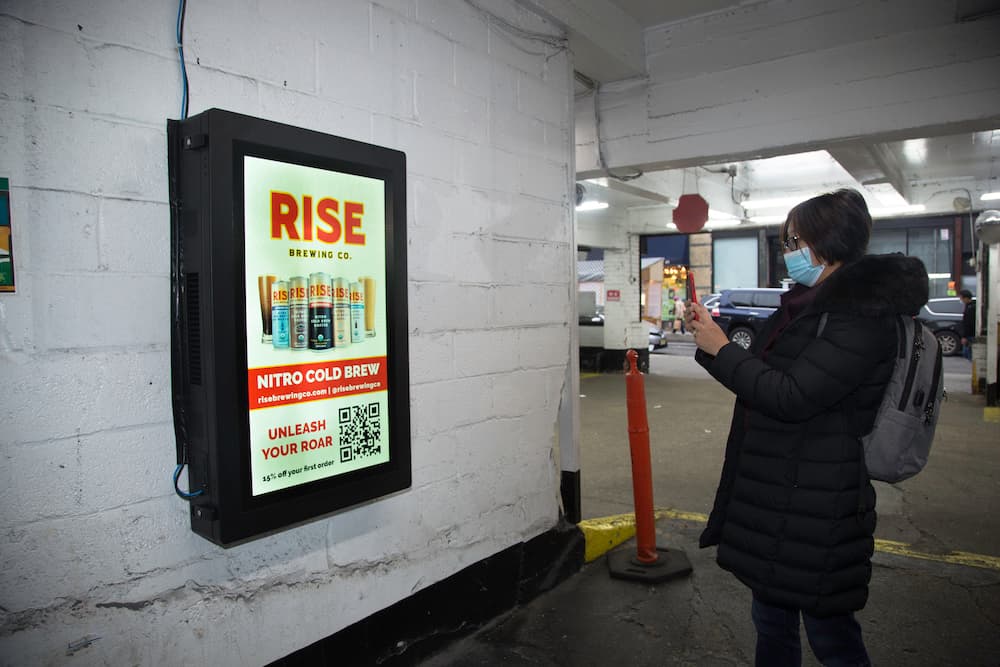
MetroClick has created created a software platform to manage and distribute digital advertising for touchscreen and non-touchscreen displays.
Advertising displays can be used as a stand alone product or integrated into any other application.
Check-In System Software
Easy & secure
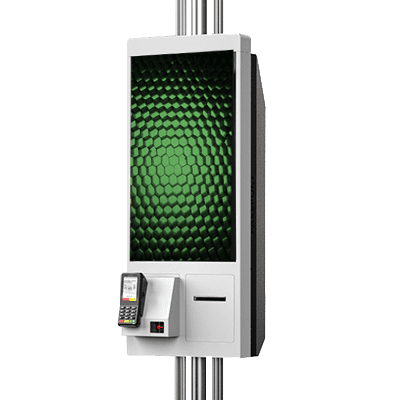
Check-in kiosks are great for hotels, hospitals, restaurants, and retail applications. These systems enhance operational efficiency by minimizing wait times and reducing the workload on staff. Guests can easily check themselves in, access relevant information, and complete transactions securely.
Moreover, with features like ID scanning and biometric verification, these kiosks ensure a high level of security, protecting both personal data and business operations. Transform your guest experience and streamline your operations with MetroClick’s advanced check-in system software.
More Information
How Digital Signage Software Works
Digital signage software lets you manage what appears on your screens from one central dashboard — no matter how many locations you run. Whether you’re updating menu boards in a restaurant chain, showing safety alerts on a factory floor, or running promotions across retail stores, the process follows the same simple steps:
- Create your account — Sign up and connect your screens. Most digital signage software runs in the cloud, so there’s nothing to install on your computer. Just log in from any browser or use the companion app on your phone.
- Build your content — Use the built-in content studio with drag-and-drop editors, pre-built templates, and media libraries. Upload videos, images, slideshows, web pages, and even pull in live data like RSS feeds, news tickers, weather widgets, YouTube videos, and social media streams. MetroClick’s content management system makes this even easier with pre-configured layouts for common use cases.
- Organize playlists and schedules — Arrange your content into playlists and set schedules for when each piece plays. Daypart scheduling lets you show breakfast menu boards in the morning and dinner specials at night — all automated.
- Push to your screens — Hit publish and your content management software sends updates to every connected screen in seconds. Changes sync across all players in real time, whether you manage 5 screens or 5,000.
Supported Content Types and Media
Modern digital signage software supports far more than static images. MetroClick’s signage software handles every content type your digital signage screens need:
- Videos and animations — Play HD and 4K video files, motion graphics, and animated HTML5 content with full sound support
- Images and slideshows — Display product photos, promotional graphics, and rotating image galleries
- Web pages and apps — Embed live web pages, internal dashboards, or third-party web apps directly on your signage screens
- RSS feeds and news tickers — Pull live headlines, stock prices, or custom data feeds into scrolling ticker zones
- YouTube and social media — Stream YouTube channels, Instagram feeds, or Twitter walls to keep content fresh without manual updates
- Weather, time, and data widgets — Add live weather forecasts, clocks, countdown timers, KPI dashboards, and custom data widgets
- Interactive touchscreen content — Wayfinding maps, product catalogs, surveys, and self-service flows for touch-enabled screens
- Menu boards — Dynamic digital menu boards with automatic pricing updates, nutritional info, and daypart switching for restaurants and bars
- Employee communications — Internal messaging, safety reminders, shift schedules, and corporate announcements for factory floor screens and corporate office lobbies
Compatible Hardware and Media Players
The best digital signage software works with the hardware you already have — and scales when you add more. MetroClick’s signage solutions run on:
- MetroClick commercial-grade screens — Purpose-built digital signage screens from 7″ to 98″ with antimicrobial coating, IR and capacitive touch, and 24/7 rated panels. Our screens ship with the signage player pre-installed and configured.
- Android media players — Affordable Android-based signage players that plug into any TV or commercial screen. Ideal for simple signage setups across multiple retail stores or offices.
- Chrome OS devices — Chromebox and Chromebit players managed through the same digital signage software dashboard. Low maintenance, automatic updates, and easy remote management.
- Raspberry Pi — Budget-friendly media player option for schools, campus environments, and organizations running digital signage on tight budgets. Connects to any screen with HDMI.
- Smart TVs — Many modern smart TVs run signage software natively through dedicated apps, eliminating the need for a separate media player entirely.
- Windows and Linux players — For high-performance video walls, interactive screens, and multi-zone layouts that demand more processing power.
Every player connects to the cloud-based digital signage software over your existing network. Deploy a new screen in minutes — plug in the player, connect to WiFi, and it automatically downloads your content and starts playing. Need a fully custom kiosk configuration with payment processing, cameras, RFID, or printers? MetroClick builds those too.
Industry Use Cases for Digital Signage Software
Digital signage software adapts to virtually every industry. Here’s how organizations use MetroClick’s signage solutions:
- Restaurants and quick-service — Digital menu boards, order-ready screens, promotional videos, and drive-thru signage. Automate menu changes by time of day and sync pricing across all locations from one account. See restaurant solutions →
- Retail stores — In-store promotional screens, window-facing signage, digital endcaps, and interactive product catalogs. Drive impulse purchases with targeted videos and dynamic pricing. See retail solutions →
- Corporate offices — Meeting room signage, lobby directories, employee communications screens, and visitor check-in. Integrate with calendar apps and room booking software. See corporate solutions →
- Manufacturing and warehouses — Factory floor dashboards showing production metrics, safety alerts, emergency notifications, and shift schedules. Connect to ERP and IoT sensors for live data. See industrial solutions →
- Schools and campus — Hallway announcement screens, cafeteria menu boards, wayfinding signage, and emergency alert broadcasts across campus. Manage from one account with role-based access for different departments.
- Healthcare — Waiting room signage, wayfinding screens, patient check-in, and digital directories. HIPAA-conscious setup with network segmentation. See healthcare solutions →
- Hospitality — Hotel lobby directories, event schedules, concierge screens, and conference room signage. Update content remotely for every property. See hospitality solutions →
How MetroClick Digital Signage Software Compares
Most digital signage software providers — Rise Vision, Yodeck, NoviSign, and others — sell software-only solutions. You buy their subscription, then source your own screens, players, and mounting hardware separately. That approach works for simple setups, but it creates headaches at scale:
| Feature | MetroClick | Rise Vision | Yodeck | NoviSign |
|---|---|---|---|---|
| Commercial-grade screens included | ✅ 7″ – 98″ | ❌ Software only | ❌ Software only | ❌ Software only |
| Pre-configured media player | ✅ Ships ready | ❌ BYO player | ✅ Raspberry Pi player | ❌ BYO player |
| Interactive touchscreen support | ✅ Native | Limited | ❌ | Limited |
| Custom hardware configuration | ✅ Payment, camera, RFID, NFC, printer | ❌ | ❌ | ❌ |
| On-site installation and service | ✅ Nationwide | ❌ | ❌ | ❌ |
| Content management software | ✅ Cloud-based CMS | ✅ Cloud CMS | ✅ Cloud CMS | ✅ Cloud CMS |
| Templates and drag-and-drop editor | ✅ | ✅ 500+ templates | ✅ 200+ templates | ✅ Templates |
| Playlist scheduling | ✅ | ✅ | ✅ | ✅ |
| Free trial | ✅ Request demo | ✅ Free plan | ✅ Free for 1 screen | ✅ 30-day trial |
The difference is simple: with Rise Vision, Yodeck, or NoviSign, you’re assembling a digital signage setup from multiple vendors — buying screens from one company, players from another, and software from a third. When something breaks, nobody owns the problem. With MetroClick, you get the screens, the media player, the signage software, and the installation as one integrated solution. One vendor, one account, one support number.
Getting Started with MetroClick Digital Signage Software
Setting up digital signage software with MetroClick takes three steps:
- Tell us about your screens — How many locations? What sizes? Indoor or outdoor? Touchscreen or view-only? We’ll recommend the right signage setup for your budget and use case.
- We configure and ship — Every screen and media player arrives pre-loaded with your digital signage software, your branding, and your initial content. Plug it in and it connects automatically.
- Manage from anywhere — Log into your cloud-based dashboard from any browser or the mobile app. Upload new videos, images, and playlists. Schedule content changes. Monitor every screen across every location from one page.